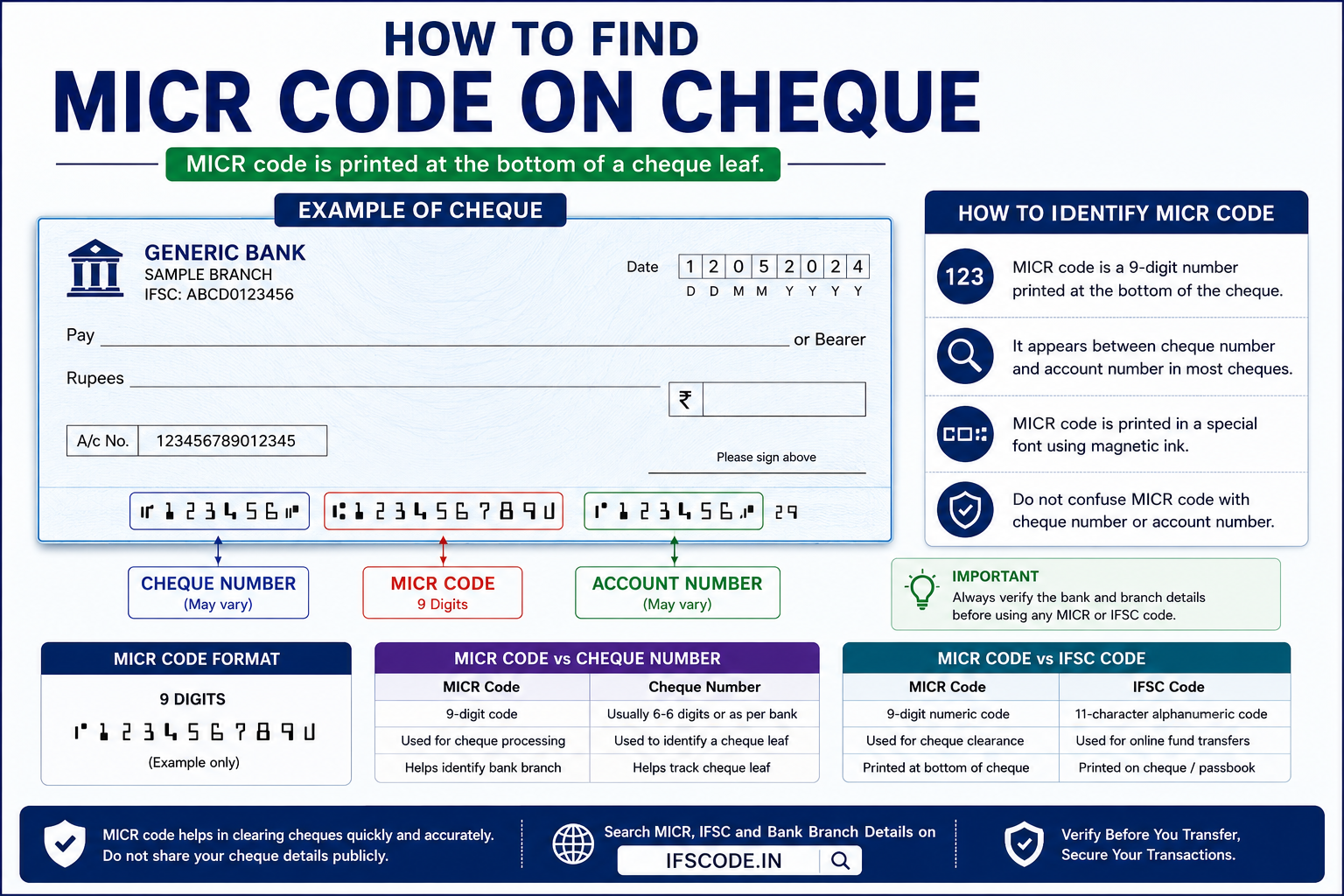
A cheque leaf contains different banking numbers, including cheque number, account number and MICR code. Many users see these numbers at the bottom of a cheque but do not know which one is the MICR code.
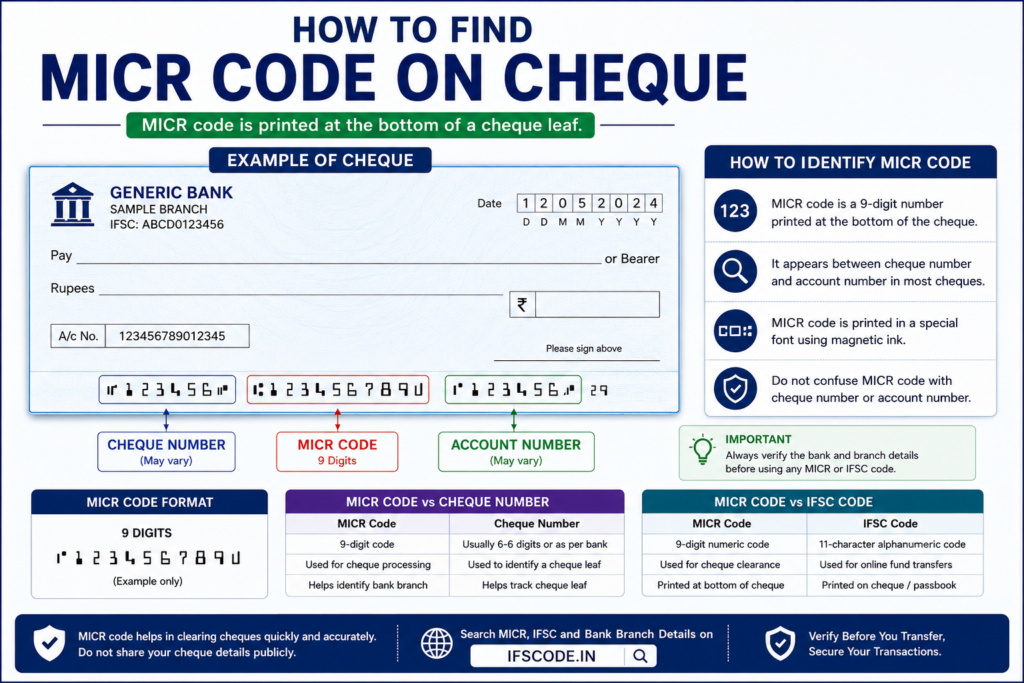
In this guide, you will learn how to find MICR code on cheque, where it is printed, how to identify it and how it differs from IFSC code.
Enter a 9-digit MICR code to find matching bank branch details. Blank or unavailable MICR records are ignored.
Table of Contents
- What is MICR Code?
- Where is MICR Code Printed on Cheque?
- How to Identify MICR Code on Cheque
- MICR Code Format Explained
- MICR Code vs Cheque Number
- MICR Code vs IFSC Code
- Steps to Find MICR Code on Cheque
- What If MICR Code is Not Visible?
- Common Mistakes to Avoid
- FAQs
- Final Words
What is MICR Code?
MICR stands for Magnetic Ink Character Recognition. It is a code printed on cheque leaves to help banks process cheques more accurately.
MICR code is mainly related to cheque processing. It helps identify the bank branch involved in cheque clearing. Unlike IFSC code, MICR code is not mainly used for online fund transfers.
Where is MICR Code Printed on Cheque?
MICR code is usually printed at the bottom of a cheque leaf. It appears in the line where cheque-related numbers are printed in a special style.
On many cheque leaves, the bottom line may include the cheque number, MICR code and account-related numbers. The exact placement may differ depending on the bank’s cheque design.
- Look at the bottom strip of the cheque leaf.
- Check the printed number groups near the bottom edge.
- MICR code is usually a 9-digit number.
- Do not confuse MICR code with cheque number.
How to Identify MICR Code on Cheque
MICR code is usually a 9-digit number. It is printed at the bottom of the cheque in a special font used for cheque processing.
If there are multiple number groups at the bottom of the cheque, identify the 9-digit code carefully. The cheque number is usually different from the MICR code.
MICR Code Format Explained
A MICR code usually has 9 digits. These digits help identify location, bank and branch details used in cheque clearing.
123456789
This is only a sample format. Do not use sample MICR codes for real banking verification. Always check the actual cheque leaf or verified bank branch details.
MICR Code vs Cheque Number
MICR code and cheque number are not the same. Both may be printed near the bottom of a cheque, but they have different purposes.
| Point | MICR Code | Cheque Number |
|---|---|---|
| Purpose | Helps in cheque processing and branch identification | Identifies a specific cheque leaf |
| Common format | Usually 9 digits | Usually a separate cheque number |
| Use | Cheque clearing | Tracking cheque leaf |
| Location | Bottom line of cheque | Often printed on cheque and bottom line |
If you are looking for MICR code, do not automatically use the first number you see on the cheque. Check the number groups carefully.
MICR Code vs IFSC Code
MICR code and IFSC code are both related to bank branch identification, but they are used for different purposes.
| Point | MICR Code | IFSC Code |
|---|---|---|
| Main use | Cheque processing | Online fund transfers |
| Format | Usually 9 digits | 11-character alpha-numeric code |
| Used for | Cheque clearing | NEFT, RTGS and bank transfers |
| Printed on cheque? | Usually yes | Usually yes on many cheque leaves |
If you are adding a beneficiary for online transfer, you usually need IFSC code. If you are checking cheque processing details, MICR code may be useful.
Steps to Find MICR Code on Cheque
- Take the cheque leaf issued by the bank.
- Look at the bottom part of the cheque.
- Find the line with cheque-related number groups.
- Identify the 9-digit MICR code carefully.
- Do not confuse it with cheque number or account number.
- Verify bank and branch details if needed.
If the cheque is old, damaged or unclear, do not rely only on it. Confirm the details through passbook, bank branch or verified branch search.
What If MICR Code is Not Visible?
Sometimes MICR code may not be clearly visible on an old, damaged or low-quality cheque leaf. In that case, you should use other reliable methods to find or verify it.
- Check another cheque leaf from the same cheque book.
- Check the passbook or bank statement if available.
- Search using bank and branch details.
- Contact the respective bank branch.
- Ask the account holder to confirm branch details.
You can use IFSCODE.IN to search MICR code, IFSC code and bank branch details across India.
Common Mistakes to Avoid
While finding MICR code on cheque, avoid these common mistakes:
- Confusing cheque number with MICR code.
- Confusing IFSC code with MICR code.
- Using unclear numbers from damaged cheque leaves.
- Assuming MICR code is required for all online transfers.
- Ignoring branch details while verifying banking information.
- Using old cheque details without confirmation.
FAQs About Finding MICR Code on Cheque
Where is MICR code printed on a cheque?
MICR code is usually printed at the bottom of a cheque leaf along with other cheque-related numbers.
How many digits are in a MICR code?
A MICR code usually has 9 digits.
Is MICR code the same as IFSC code?
No. MICR code and IFSC code are different. MICR code is mainly used for cheque processing, while IFSC code is used for electronic fund transfers.
Is MICR code required for NEFT or RTGS?
Usually, IFSC code is required for NEFT or RTGS transfers. MICR code is mainly related to cheque clearing and cheque processing.
Can I find MICR code online?
You may be able to find MICR code by searching bank and branch details using a branch lookup tool, if the MICR code is available in the branch data.
Final Words
You can find MICR code on a cheque by checking the number line printed at the bottom of the cheque leaf. MICR code is usually a 9-digit number used mainly for cheque processing.
Do not confuse MICR code with IFSC code or cheque number. If you are sending money online, you usually need IFSC code and beneficiary account details. Always verify important banking details before making any transaction.
Disclaimer: IFSCODE.IN is an independent informational platform. Users should verify important banking details directly with the respective bank before making any transaction.